Is Your Digital Menu Actually Accessible? A Practical Guide for Restaurants

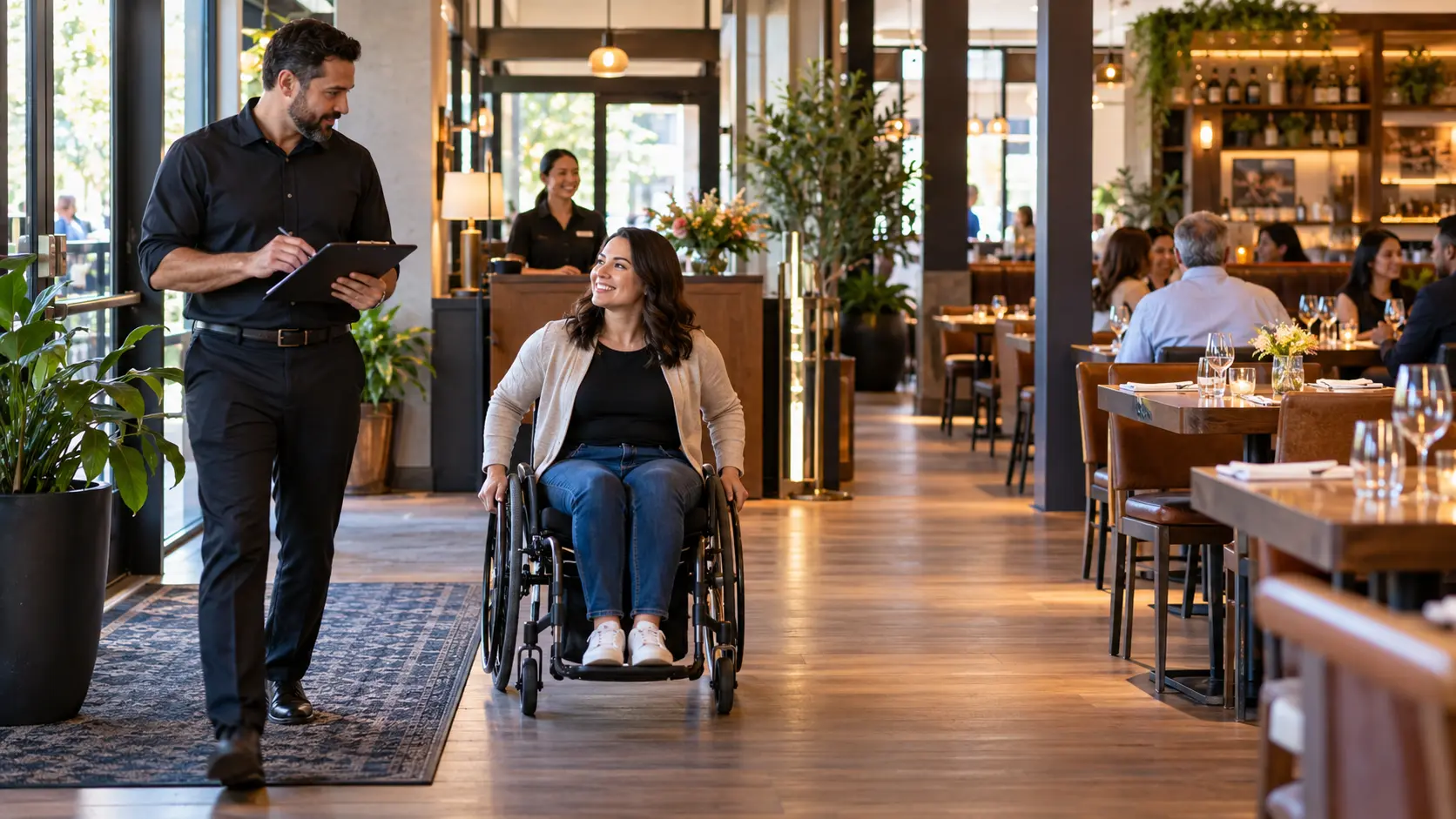
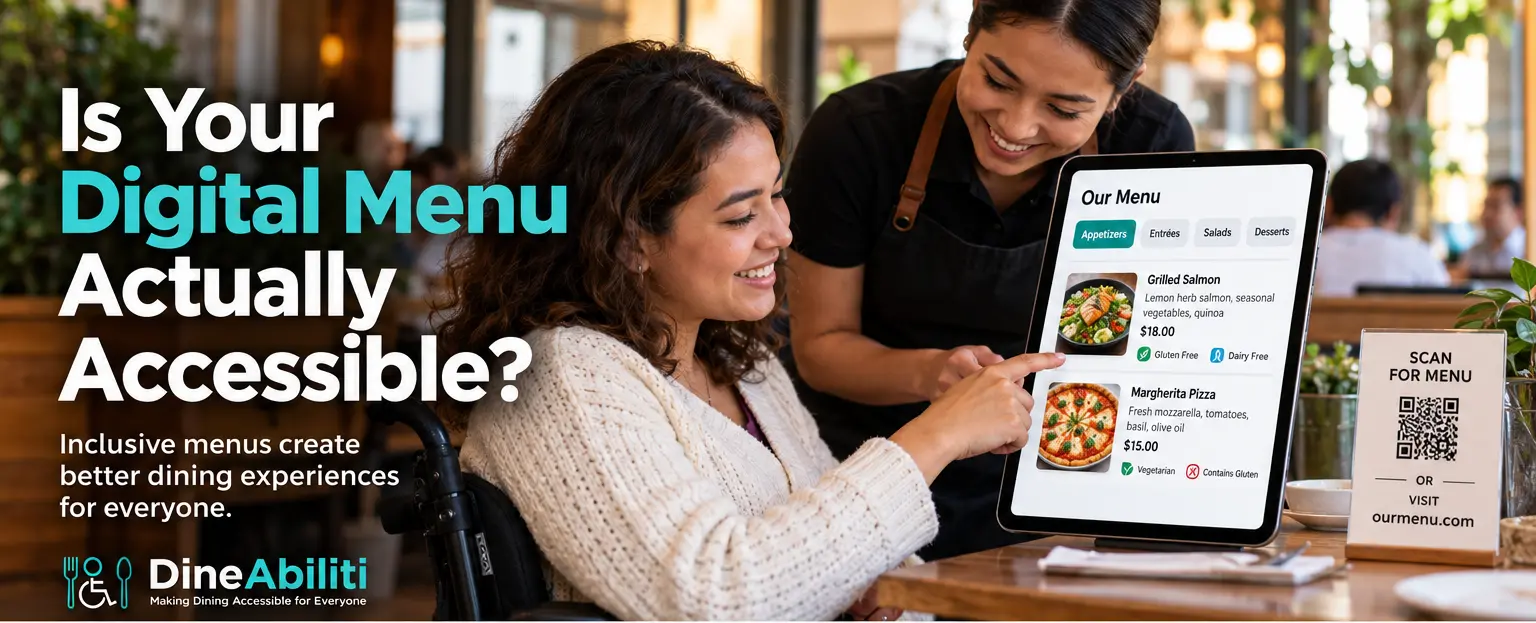
Wheelchair user reviewing an accessible digital restaurant menu with a server; menu prices are displayed in U.S. dollars.

A wheelchair user reviews an accessible digital menu with a server

A restaurant can have a step-free entrance, accessible seating, and an accessible restroom and still create a barrier before the guest ever places an order.

That barrier may be the accessible digital menu, or the lack of one.

For a local or regional restaurant, an inaccessible digital menu can mean more than inconvenience. It can mean a guest cannot read the menu independently, a server has to stop during a busy shift to explain every item, an online order is abandoned, or a customer simply chooses another restaurant next time.

An accessible digital menu should work for diners who use screen readers, keyboards, magnification, voice control, or other assistive technology. It should also work for customers who cannot easily use a QR code or read small, low-contrast text.

As restaurants rely more on QR codes, online ordering, digital menus, kiosks, and mobile reservations, restaurant digital accessibility is becoming part of hospitality itself.

Why Accessible Digital Menus Matter to Restaurants

For many operators, the move to digital menus was driven by convenience.

Digital menus are easier to update. Prices can change quickly. Seasonal items can be added without reprinting. QR codes reduce the number of physical menus restaurants need to maintain.

But convenience for the restaurant does not automatically mean convenience for every guest.

A digital menu can be especially useful for a diner with low vision because text can be enlarged. It can allow a screen-reader user to hear menu information independently. It can help someone take additional time reviewing ingredients without asking a server to wait.

But those benefits only exist if the menu is built accessibly.

DineAbiliti already encourages restaurants to publish the accessibility information diners need before they arrive. Digital-menu accessibility is a natural extension of that same principle. For a broader look at the information diners need before visiting, see Before They Book: 10 Accessibility Details Every Restaurant Should Publish Online and the DineAbiliti article library.

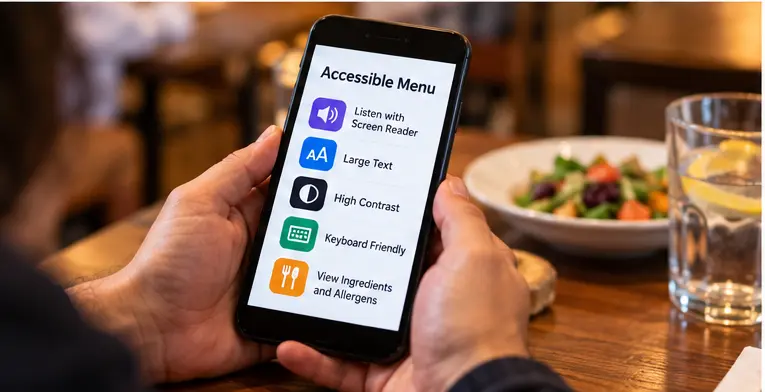
Smartphone showing accessible digital menu features including screen-reader support, large text, high contrast, keyboard-friendly navigation, and allergen information.
A smartphone demonstrates accessible menu features including screen-reader support, large text, high contrast, keyboard-friendly navigation, and ingredient and allergen information.

The Problem With Image-Only and Scanned PDF Menus

One of the most common digital-menu problems is simple: the restaurant uploads a photograph or scanned PDF of its printed menu.

To a sighted diner, it may look exactly like the physical menu. To a screen reader, however, that menu may contain little or no usable information.

A diner who is blind or has low vision may then have to ask a server, friend, or family member to read the entire menu aloud. That removes independence from an experience that should be routine.

A better approach is to provide the menu as real digital text, ideally in an accessible HTML webpage.

A QR Code Is Not the Same as an Accessible Menu

QR codes are useful, but a QR code is only the doorway to the menu.

For the experience to work, a guest must be able to locate the code, scan it, load the webpage, navigate the page, and understand the content.

That can break down for many reasons. The guest may not have a smartphone. They may have difficulty visually locating the code. The restaurant may have poor Wi-Fi or cellular coverage. Or the page that opens may itself be inaccessible.

For that reason, restaurants should avoid making QR codes the only menu option. Consider offering:

  • A printed menu
  • A large-print menu
  • A short, easy-to-type web address
  • Staff assistance when requested
  • An accessible HTML menu
  • A restaurant tablet where appropriate

Can a Screen Reader Understand Your Restaurant Menu?

Screen readers depend on structure.

A well-designed accessible restaurant menu should not simply look organized. It should be coded in a way that communicates that organization. For example, Appetizers should be marked as a heading. Each dish name should be actual text. Descriptions, prices, dietary information, and customization options should appear in a logical order.

The World Wide Web Consortium, or W3C, emphasizes meaningful structure and labeling because screen-reader and keyboard users rely on that structure to understand and navigate digital content. W3C menu accessibility guidance

Can Guests Read the Text Comfortably?

Accessibility is not only about blindness.


Low contrast, tiny text, decorative fonts, and text placed over photographs can create problems for people with low vision, age-related vision changes, or color-vision differences.


Common menu problems include light gray text on white, small prices or descriptions, thin fonts, text over busy food photography, color used as the only indicator for spicy, vegetarian, or allergen-related items, and information that disappears when the page is enlarged.

Can Someone Order Without Using a Mouse?

This becomes especially important when the menu includes online ordering.

Some diners navigate websites using only a keyboard. Others may use voice control, switch devices, or other assistive technologies.

Buttons, dropdowns, customization choices, quantity selectors, and checkout controls should work without requiring a mouse or touchscreen.

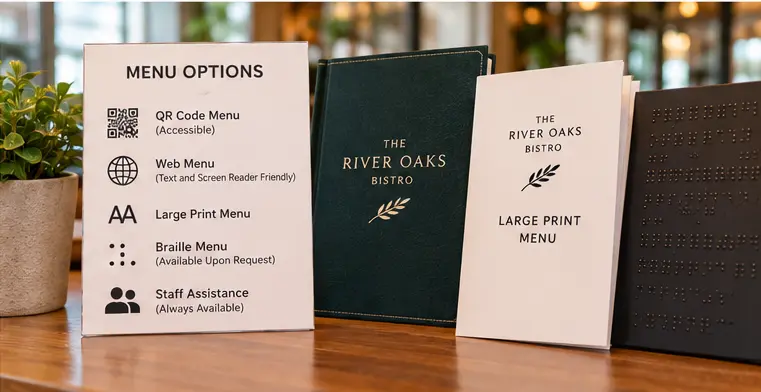
Restaurant display offering QR, screen-reader-friendly web, large-print, Braille, and staff-assisted menu options
Restaurant display offering QR, screen-reader-friendly web, large-print, Braille, and staff-assisted menu options.

W3C specifically requires that web functionality be operable through a keyboard interface. WCAG guidance A restaurant manager can test this quickly by putting the mouse aside and trying to find an item, customize it, add it to the cart, review the order, and reach checkout using only the keyboard.

Do Not Rely on Color Alone

Color can be useful, but it should not carry important information by itself.


Suppose a menu uses green for vegetarian, red for spicy, and blue for gluten-free. Some customers may have difficulty distinguishing those colors. Instead, pair the color with clear text or an accessible icon.

An Accessible Menu Can Also Make Service Easier

For a local restaurant owner, digital accessibility may initially sound like another technology project. But it can also reduce operational friction.


If guests can access information independently, servers may spend less time reading menus aloud or troubleshooting QR codes.


Accessible digital menus can help reduce menu-related questions, improve ordering confidence, make online ordering easier, reduce abandoned orders, help staff during peak service, create a better first impression, and support repeat visits.


This is similar to the operational benefit DineAbiliti highlights in The Accessible Reservation: How One Simple Question Can Improve the Dining Experience.

Five Things Restaurant Owners Can Check Today

  1. Check whether your menu contains real text. If the menu is only a photo or scanned PDF, create a text-based alternative.
  2. Test the menu at 200% zoom. Make sure text remains readable and content does not disappear.
  3. Try navigating without a mouse.If you cannot reach important controls with a keyboard, customers may encounter the same problem.
  4. Review your use of color. Make sure dietary, allergen, or ordering information does not depend on color alone.
  5. Test the QR-code fallback. Ask what happens if someone cannot or does not want to scan the QR code.

Make Digital Accessibility Part of Your Restaurant Accessibility Review

Digital menus should not be reviewed in isolation.

They belong alongside entrances, seating, restrooms, noise, lighting, service-animal policies, and staff training.

The DineAbiliti Restaurant Accessibility Checklist already includes menu formats, including large print, Braille, and digital formats, as part of the larger accessibility experience. Get the DineAbiliti Restaurant Accessibility Checklist.

Restaurant owners may also want to review The Hidden Barrier of Restaurant Noise: How Quieter Dining Can Improve Accessibility, because digital and physical accessibility often overlap in the same guest experience.

Your Digital Menu Is Part of Your Front Door

Restaurant accessibility starts before the guest reaches the building.

People research menus, prices, ingredients, reservations, seating, and accessibility online before deciding where to eat. That means your digital menu is part of your front door.

A restaurant can invest in accessible seating, a step-free entrance, and thoughtful staff training, yet still create a barrier with an unreadable PDF or an online ordering page that some customers cannot use.

The good news is that many improvements are relatively straightforward. Use real text. Offer an alternative to QR codes. Use readable contrast. Support keyboard navigation. Structure menus so screen readers can understand them. Test the experience from the customer’s point of view.

An accessible digital menu does more than show what is available. It gives more diners the ability to make their own choices with independence and confidence.

And for a restaurant, that is more than good technology. It is better hospitality.

DineAbiliti Logo


Related Posts

Restaurant manager conducting a restaurant accessibility walkthrough while a wheelchair user moves along a clear route through the dining room.

The Five-Minute Restaurant Accessibility Walkthrough: See Your Restaurant Through a Guest’s Eyes

You know your restaurant by heart, but a first-time guest does not. This five-minute restaurant...
Wheelchair user reviewing an accessible digital restaurant menu with a server; menu prices are displayed in U.S. dollars.

Is Your Digital Menu Actually Accessible? A Practical Guide for Restaurants
A digital menu should make ordering easier, not create another barrier. Learn how restaurants can...
Tayjus Surampudi

Access Changes Lives: How Tayjus Inspired DineAbiliti and a More Accessible Dining Experience

This World Duchenne Awareness Day, DineAbiliti celebrates Tayjus Surampudi, whose experiences living with Duchenne muscular...

Leave a Reply

Your email address will not be published. Required fields are marked *

Message from our Advertisers